EasyRankly
Everything, built in.
Everything SEO needs and nothing it doesn’t: tags, structured data, redirects, custom code and languages, built on what WordPress already has. Here is what each part does, and where it stops.
A title for every page.
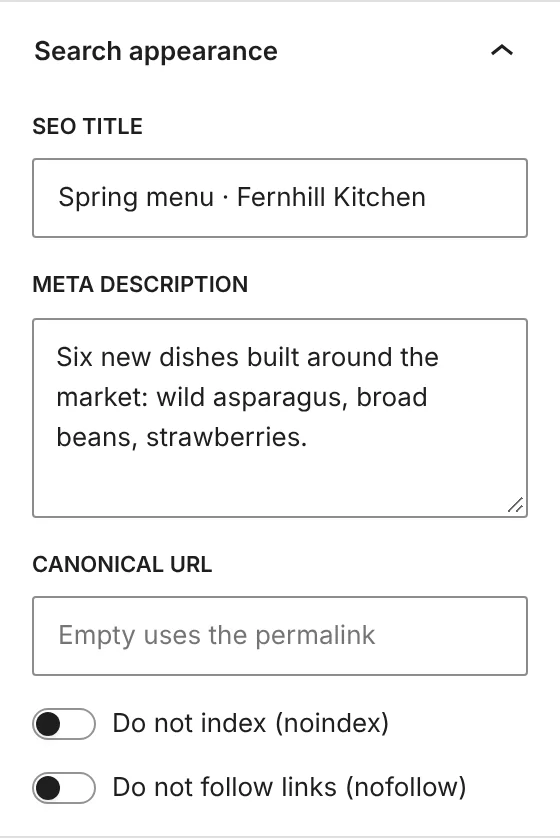
Each address of the site gets its title and description, from a template or by hand. Type your own on a post and it wins.
- Templates everywhere. Front page, every content type, archive and term.
- Custom fields. With ACF,
{{cf:field_name}}reads a field into the title.

Out of Google, on purpose.
One switch per kind of page. What you leave out gets noindex and leaves the sitemap, and every indexed page gets its canonical.
- Handled for you. Search results, empty archives, password-protected posts and feeds stay out.
- The core sitemap and robots.txt. The ones WordPress builds, kept in line with your choices, without writing files.

Say who the site is.
An organization, a local business or a person. From that and from what each page holds, EasyRankly prints one set of social tags and one JSON-LD graph.
- Social sharing. Open Graph and X tags, with the featured image or a default one.
- Structured data. WebSite, WebPage, Article on posts, ProfilePage on author archives.
- Breadcrumb. The WordPress Breadcrumbs block, with a BreadcrumbList that follows it.

Redirects that set themselves.
For exact addresses or regular expressions. Change the address of a published page and the redirect is created for you.

- 301The page has moved for good.
- 302307It is elsewhere for a while.
- 410Gone, with no replacement.
- 451Removed for legal reasons.
No snippet plugin needed.
HTML and PHP snippets in the head, after the opening body tag, in the footer, or everywhere for PHP. Checked before they are saved, with a revision for every change. PHP needs the edit_plugins capability and is off where DISALLOW_FILE_EDIT or DISALLOW_FILE_MODS is set; HTML needs unfiltered_html.

A fatal error switches the snippet off, and the Custom code screen never runs your snippets, so a broken one can always be fixed there. Locked out anyway? One line in wp-config.php.
define( 'EASYRANKLY_SAFE_MODE', true ); // no snippet runsOne site, every language.
Each language has its own prefix. Translations are linked, hreflang is printed for you and a switcher block moves visitors between them. Site title, tagline, template parts and synced patterns change too. Needs a block theme.

Linked pages point to each other, with x-default on the first language. This is printed in the head of /menu/ and /fr/menu/.
<link rel="alternate" hreflang="en-US" href="https://example.com/menu/" />
<link rel="alternate" hreflang="fr-FR" href="https://example.com/fr/menu/" />
<link rel="alternate" hreflang="x-default" href="https://example.com/menu/" />
Works with what you run.
- WooCommerceSEO for the shop; cart, checkout and account kept out of the sitemap. WooCommerce keeps printing its own Product data. Multilingual stores are not supported yet.
- ACFCustom fields in title and description templates.
- Yoast SEO and Rank MathTheir SEO fields and redirects are imported, without overwriting anything. How it works
- MultisiteEach site has its own settings, with nothing to set up for the network.
What it does not do.
Staying small means saying no, on purpose.
- No content score or real-time readability analysis.
- No 404 log or hit counters.
- No news or video sitemaps, no IndexNow or Google Indexing API.
- No AI features.
- No network-wide settings: on a network, each site has its own.
Complete SEO, without the weight.
Free and open source. Install it, bring your old SEO fields along, and get back to writing.